
FastCompass
Which way you are facing, how high you are, and which satellites are overhead — each with the one thing other apps leave out: how much to believe it.
What it looks like
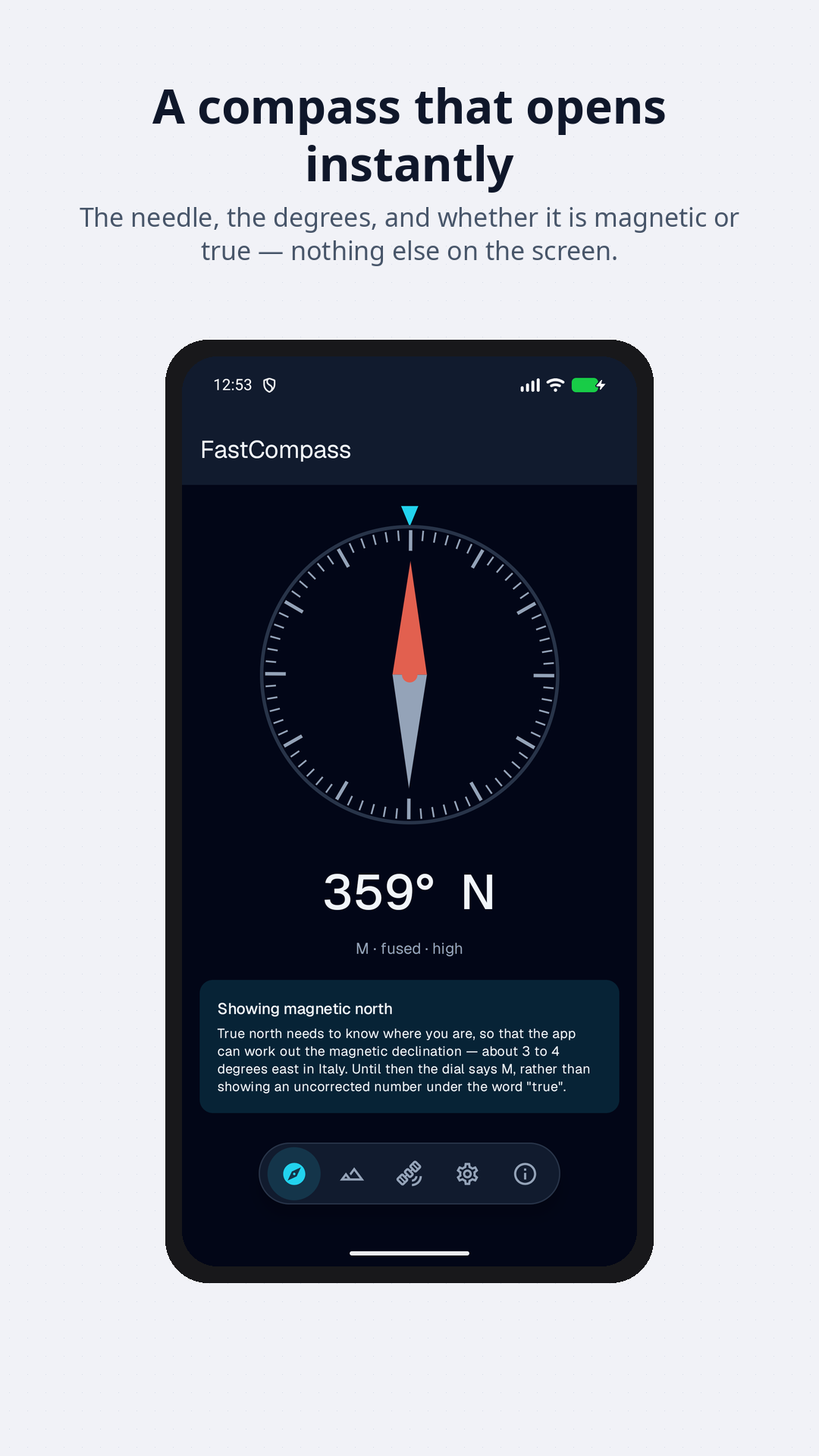
Every compass app draws a needle. Almost none of them tell you that the needle is wrong — and indoors, in a car, or next to a magnetic phone case, it usually is. Your phone knows: the sensor reports its own accuracy. FastCompass shows you.
What it does
- A compass that stops lyingTrue north or magnetic, corrected for where you are. When the sensor says it is unreliable, the needle stops rather than pointing confidently at nothing.
- An altitude with a sourceBarometer, satellites, or satellites corrected to sea level — named on screen, so you know which number you are reading.
- The satellites overheadWhich constellations are in view, which are actually in the fix, and how strong each signal is. The screen that explains why your position is poor.
- Somewhere to get back toSave a point, hold a bearing. An arrow and a distance, with no map and no network.
Above walking pace, it uses the satellites instead
A magnetic compass can be pulled off by a car door, a laptop or a steel railing. A heading derived from your movement across the ground cannot. So once you are moving faster than a brisk walk, FastCompass switches to it and says so on the dial.
The two are not the same thing and the app does not pretend they are: one is where the phone is pointing, the other is where you are going. Walking sideways makes them disagree, correctly.
About that altitude
The number your phone calls "altitude" is not height above sea level. GPS reports height above a mathematical model of the Earth's shape, and in Italy that sits some 45 to 50 metres below sea level as anyone means it. Most apps print it anyway, which is why phone GPS has a reputation for being wrong about height.
FastCompass corrects it, and where your phone has a barometer it can do far better than that — a barometer is excellent at changes in height, once it has been told a starting point. You can give it one from a trail sign, or let it take one from the satellites, or from the current air pressure where you are.
What it does not do
No account. No login. No server of ours — there is nothing to send anything to. The app does not run when it is not on screen, so it never asks for permission to know where you are in the background.
Location permission is asked for when you first open something that needs it, with the reason on the spot. The compass itself works without it, showing magnetic north and saying so.
Get it
FastCompass is a beta in development, available from the self-hosted F-Droid repository and not from Google Play. This page describes what is being built; the code is private while it is.
It is published in the self-hosted F-Droid repository that serves every app here; use the F-Droid badge at the top of this page. The F-Droid build carries no proprietary dependency of any kind.
Frequently asked questions
What is FastCompass?
FastCompass is an Android app that shows which way you are facing, how high you are and which satellites your phone can see, each with its source and margin of error.
Can I download FastCompass?
Yes, as a beta, from the author’s self-hosted F-Droid repository at https://releases.android.apps.gpm.name/repo: the F-Droid badge on the home page adds it to an F-Droid client. It is not on Google Play.
Is FastCompass free?
The terms say some features may be offered as a paid unlock, and that whatever is free today stays free for installs already using it. See the terms of service.
Do I need an account?
No. There is no account, no login and no server of ours. An email address is only used if you type one in yourself to be answered about a report.
What data does FastCompass collect?
Almost nothing. The only feature that sends data is the optional barometer calibration from weather data, which sends your approximate coordinates to Open-Meteo. See the privacy policy.
Does FastCompass work offline?
Yes for the compass and for returning to a saved point, which use an arrow and a distance with no map and no network.
Which Android versions does it support?
Android 8.0 (API 26) or later.